
Account Registration and Lucky Twice Casino Login
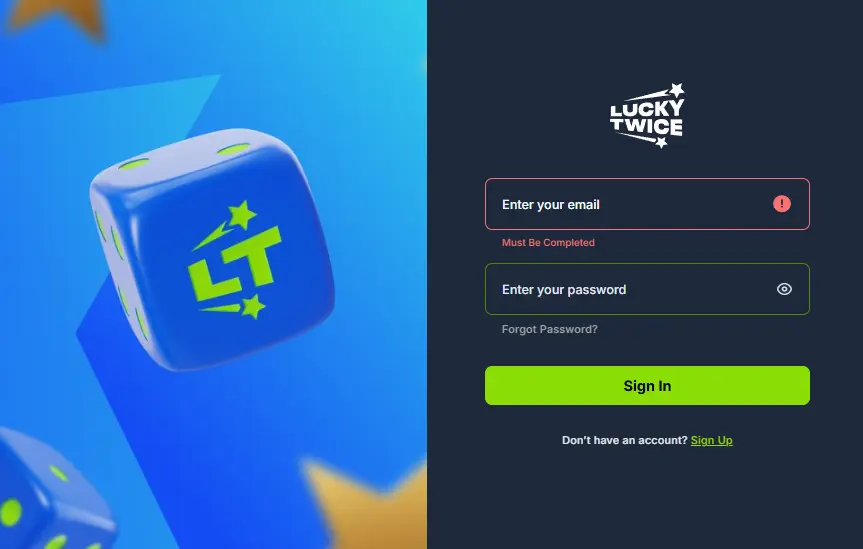
UK gamblers who sign up with Lucky Twice Casino enjoy access to its full offerings, including its 11,000+ games, crypto payment option and 24/7 customer support. Once you register, we offer you the opportunity to claim a 100% first deposit bonus worth up to £9,500 + 500 FS. You can then progress to benefit from even better offers, including unlimited free spins and money reloads.
Ultimately, you can earn good winnings and make a profit once you join the Lucky Twice Casino community. The Lucky Twice Casino login is also easy, allowing you to access every offering on both PC and mobile.
Steps to Sign Up a Lucky Twice Account
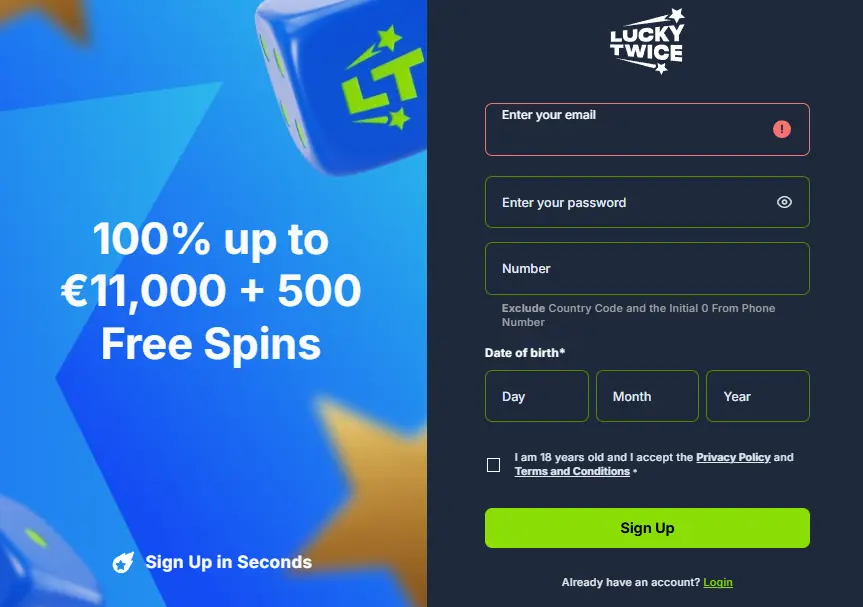
You can start and finish your Lucky Twice Casino Registration in 4 minutes as we do not request much information. We only desire to confirm that you are of eligible age, reside in the United Kingdom and do not hold any political position. Here is a step-by-step guide on how to create your own account.
-
Click on the Join Now on the left sidebar to trigger a pop-up registration field.
-
You need to fill in some details in the specified sections of the field, including an active email, a valid mobile number and your date of birth. Also, create a password of 8 or more characters. The password must comprise at least one alphabet, number and symbol to ensure a level of complexity.
-
The next step is to tick a box that confirms you are 18 or older, agree to our privacy policy and accept our terms of operation.
-
Hit the Sign Up button to round up your registration and become a member of our platform.
How to Complete Casino Account Verification
Becoming a registered player makes it possible to fund your account and play games. However, you must verify your profile to withdraw earned winnings and also benefit from our different exclusive services. This exercise is required to confirm the details you provided during the initial LuckyTwice Casino sign up. We highlight how to go about it.
- Sign in to your account and click the Account icon at the bottom part of the left sidebar to enter a window with the following tabs: General, Verification and Security.
- Click on the General tab and submit your full name and gender in the specified fields. Save the changes afterward.
- Next, tap the Verification tab and upload relevant images to confirm your identity, residency and main online payment method.
- To verify your identity, upload a photo of your driver’s licence, passport or a recognised government document ID.
- Verify your address by uploading an image of your statement of bank account and utility bill. None of these documents should be older than 3 months.
- Verify your payment method by uploading an image of your debit card, online bank transfer page or crypto wallet front page. You do not have to reveal any sensitive details as the objective of this exercise is to confirm you have an active payment method to make online transfers.
Lucky Twice Login Procedure for Users
Players who have completed their sign-up can use the same details to access their profile from any device of choice. They only need to follow the steps below.
- Click the Log In menu in the left sidebar to bring up a pop-up field.
- Submit the email and password provided during your Lucky Twice sign up exercise.
- Tap the Log In button to access your profile and continue your session.
Mobile Access Instructions
Our website runs seamlessly on mobile, with players able to log into their accounts with their smartphones or tablets. The LuckyTwice Casino login process on mobile is just as similar as that of the PC. However, you just need to know how to find the relevant menu.
- Click the Join Now button at the top right of your screen to bring up the login page.
- Submit the email address and password you initially used for your registration.
- Hit the Log In icon to complete the registration.
There is also a dedicated progressive web app that is similar to the optimised website in functionality. You can install it on your Android or iOS device and sign into your profile following the same steps outlined above.
Why Player Information Matters
As a casino operating with a Costa Rica licence and committed to safe gambling, we only register players who provide their personal details. This requirement is in line with expected gambling standards in the United Kingdom and the global community. It helps us prevent minors from completing the standard LuckyTwice registration and exposing themselves to gambling activities. We also keep off BOTS with the constraint as only real humans can ever get verified.
This platform does and will never use your information wrongly. We encrypt them and never reveal your gambling patterns to unauthorised entities. You are in full control of your data.
Common LuckyTwice Casino Login Problems for New Users
You will rarely ever have any issues with your LuckyTwice login process at this platform. However, there are certain times that it may be a bit challenging to access your account because of misspellings or other fixable concerns. We discuss these issues and the appropriate solution to handle them.
| Issue | Solution |
|---|---|
| Incorrect email and password error | In this case, your password or email has misspellings or a mix up. Confirm that your password is properly capitalised and matches the combination provided when registering. |
| Restricted Login | This situation is often due to a lack of account verification. You can prevent it by verifying your account within the first two months of creating it. It is also possible to fix it by clicking on the live chat button and communicating with a customer agent for verification and further assistance. |
| Poor Connection error | This issue comes up when you attempt a Lucky Twice login with poor internet reception. You will have to connect to a better internet or wait until the reception gets better. |
How to Deactivate Your Casino Account
It is possible to deactivate your account and clear all your Lucky Twice Casino sign up data from our database. We understand that you may need a break from gambling and may want to climax your journey. Be assured that we will help you all the way.
- To close your account, follow the steps below.
- Sign in to your profile and withdraw all cashable funds.
- Reach out to one of our agents through the live chat and state your request for account deactivation. The agent may recommend our self-exclusion service or other responsible gambling options in case you only want some time away from gambling. However, if you insist on your Lucky Twice Casino login account closure, the agent will oblige.
What to Do If You Forget Your LuckyTwice Login Credentials
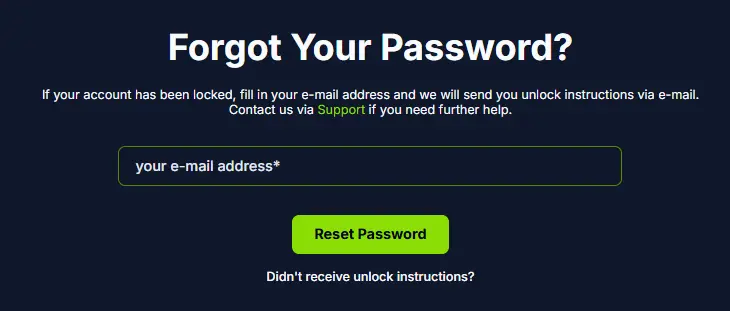
If you ever forget your password, there is a way to recover it without having to restart the whole registration process. You just need to navigate your way back to the Lucky Twice Casino sign in page. These steps outline how to go about it.
- Hit the Login button and click on the Forgot Password link to enter a new window where you have to provide your email address.
- Next, go to your email inbox and click on the link to reset your password.
- The link leads to a password reset window where you can create and confirm a new combination.
- After creating the new combination, head back to the Lucky Twice login page and sign in with your new credentials.


